Live on App Store & Google Play

Notes that stay on your device.

Tired of note apps that collect your data? Notelux stores everything exclusively on your device — no servers, no cloud, no tracking — behind an editor rich enough that you will not miss them.

  • iPhone & iPad
  • Android
  • Free
  • 100% offline
Notelux rich text editor

What's inside

A real editor, kept entirely local

Formatting, media, organisation and history — none of it leaves the phone.

Powerful text editor

Bold, italic, underline and strikethrough, text and background colour pickers, multiple fonts and sizes, H1–H6, lists and checklists, alignment with full RTL, and hyperlinks.

Multimedia notes

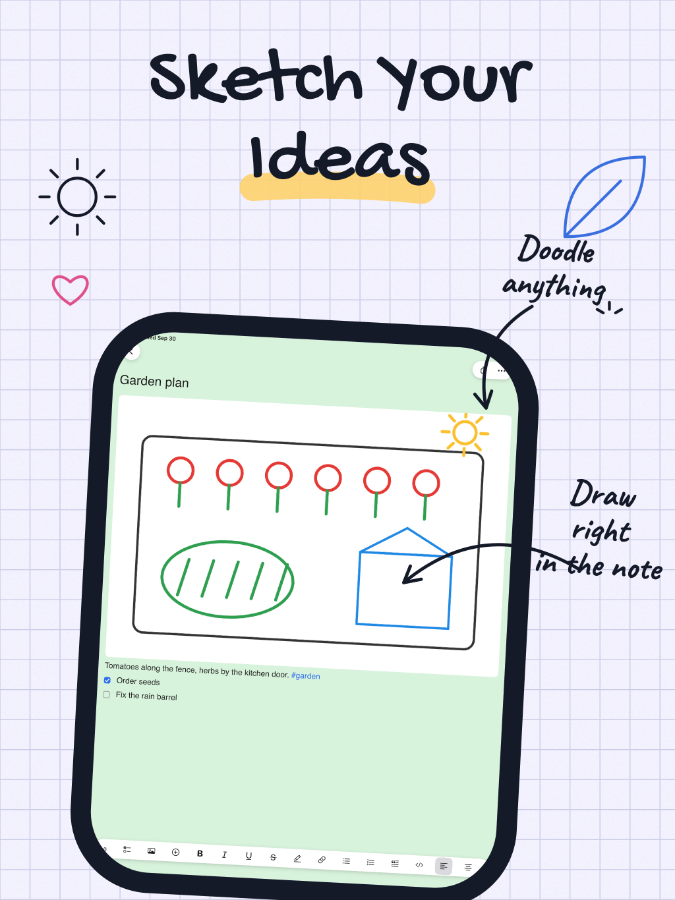
Insert images from gallery or camera with cropping, record voice memos with a built-in player, draw on a canvas with pen, eraser and palette, and 500+ emojis across eight categories.

Smart organisation

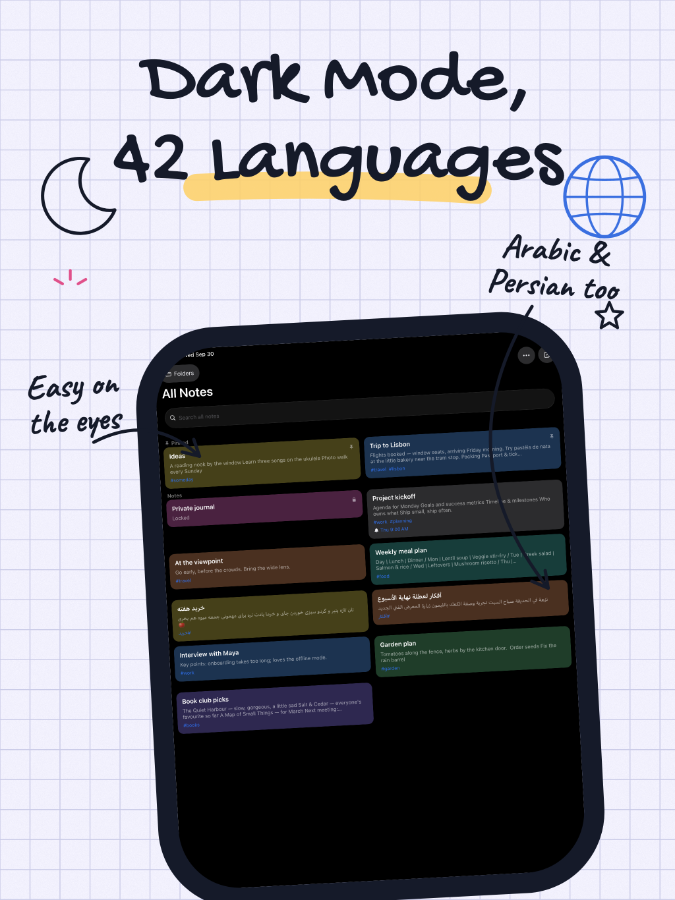
Folders with custom icons, colour-coded tags, pin, archive and a recoverable trash, full-text search across titles and content, and grid or list view.

Auto-save and versions

Saves as you type and keeps up to 50 snapshots, so you can restore any previous version instantly.

Privacy and security

All data is stored locally only. No data is sent to any server, no personal information is collected, and individual notes can be locked with a password.

Share, export and back up

Export as PNG, PDF or plain text, back up and restore the whole set as a ZIP, and share through the native OS sheet.

Screenshots

See it in action

Three screens from the app.

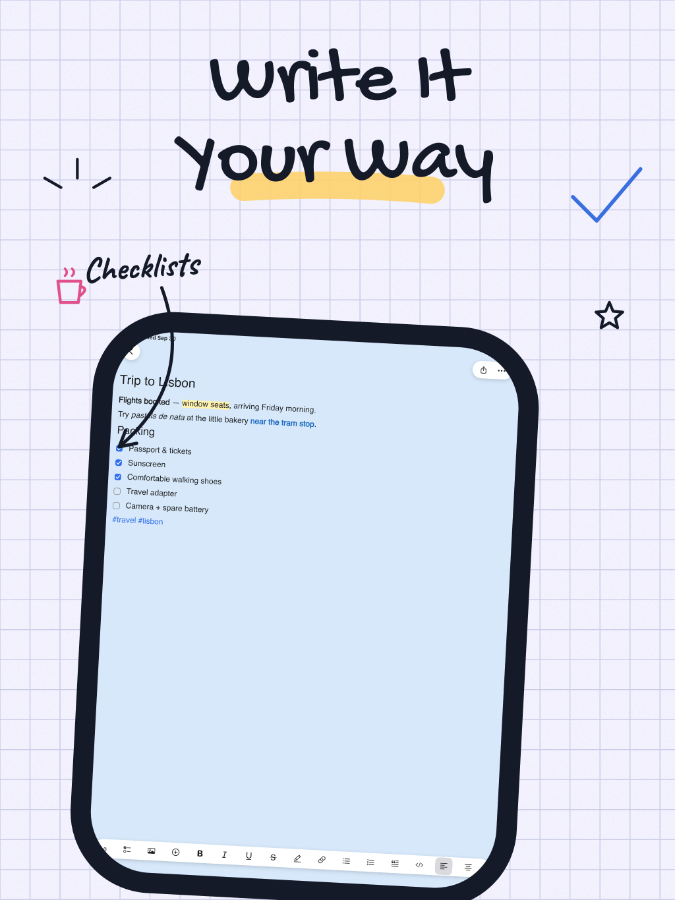
Notelux: Editor

Editor

Full formatting, fonts, colours and checklists.

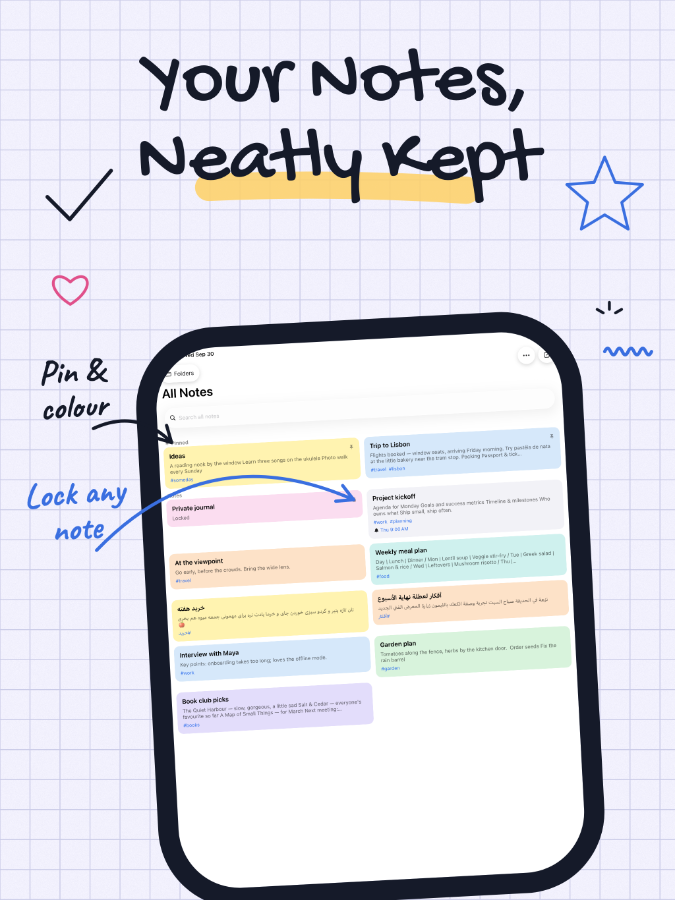
Notelux: Your notes

Your notes

Folders, tags, pinning and full-text search.

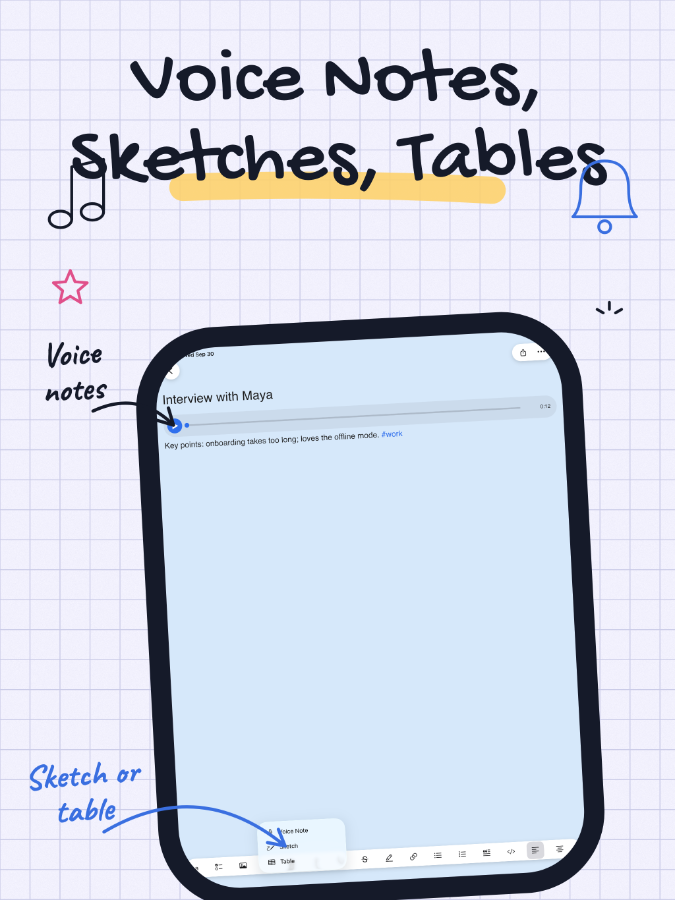
Notelux: Multimedia

Multimedia

Images, voice memos and a drawing canvas in the same note.

Specifications

Technical details

Platforms
iOS 15.0 or later, Android
Category
Productivity
Formatting
Bold, italic, underline, strikethrough, colours, fonts, H1–H6, lists, RTL
Media
Images with cropping, voice memos, drawing canvas, 500+ emojis
Organisation
Folders, colour tags, pin, archive, recoverable trash, full-text search
History
Auto-save with up to 50 version snapshots
Export
PNG, PDF, plain text; full ZIP backup and restore
Themes
9 paper themes, 10+ note colours, full dark mode
Data
Stored locally only — no server, no tracking, no analytics
Offline
Full functionality

FAQ

Frequently asked questions

Where are my notes stored?

On your device only. No data is ever sent to a server, no personal information is collected, and there are no tracking, analytics or user identifiers.

Can I lock a note?

Yes. Individual notes can be locked with a password.

Can I recover something I deleted?

Yes. Trash keeps deleted notes for recovery, and version history keeps up to 50 snapshots of each note so you can restore any earlier state.

What can I export?

PNG, PDF or plain text for a single note, and a full backup and restore of everything as a ZIP file.

Does it need an internet connection?

No. Notelux works completely offline.

Does it show ads?

Yes. Notelux uses Google AdMob, which is the only third-party service in the app. AdMob may collect device identifiers for ad personalisation, manageable in your device’s ad settings.

Pricing

Free, ad-supported

Notelux uses Google AdMob to display advertisements. That is the only third-party service in the app.

Free

  • The full editor, multimedia notes, folders, tags, version history and export

AdMob may collect device identifiers for ad personalisation, which you can manage in your device’s ad settings. No other personal data is collected or shared.

Download Notelux

Free to download. No account needed.