See It
What It Looks Like
The same page, with and without the arithmetic.
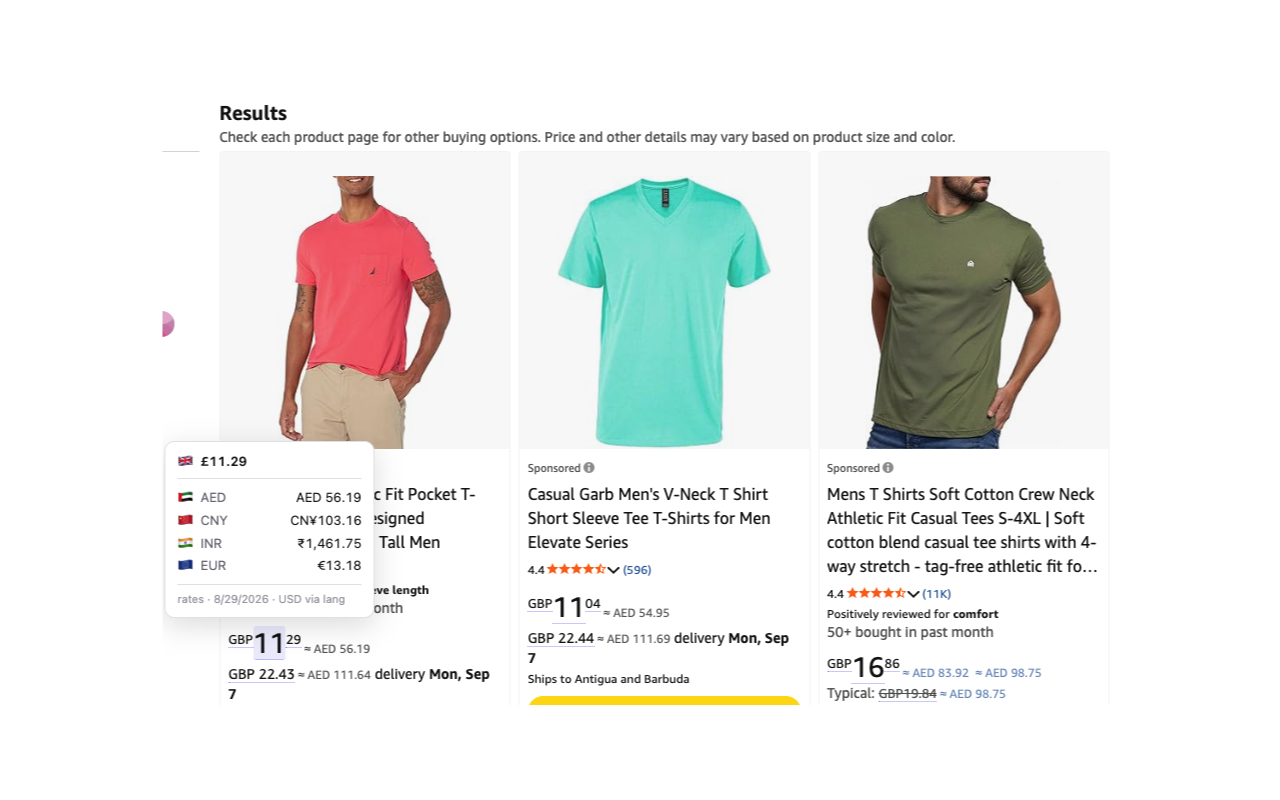
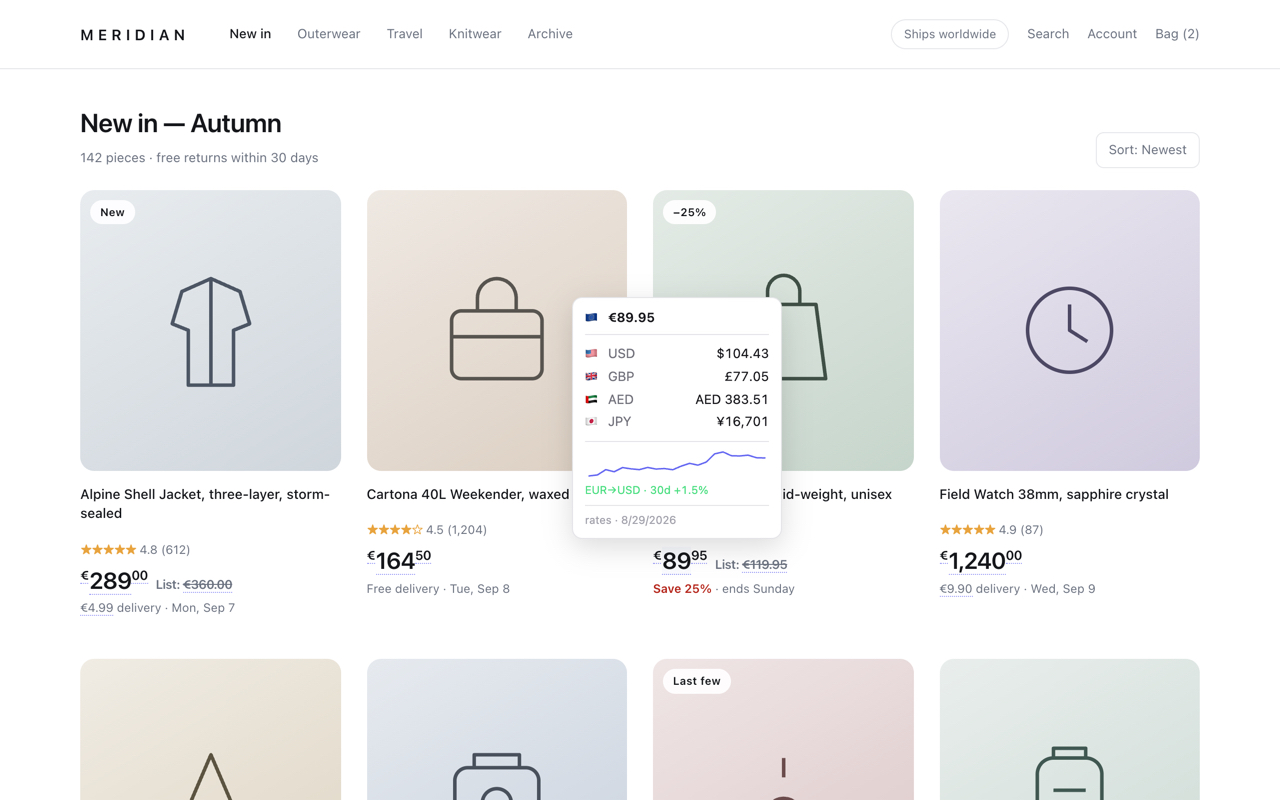
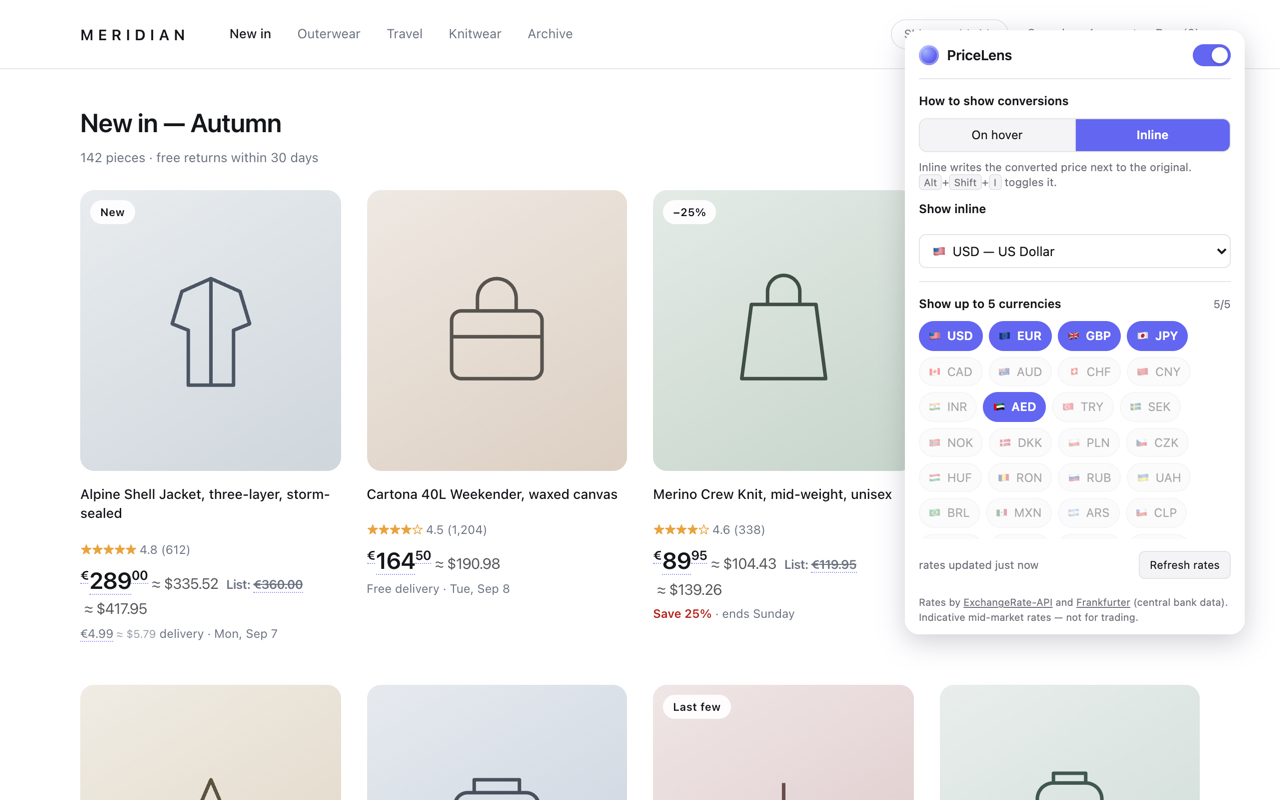
PriceLens reads the prices already on a page and converts them into the currencies you choose — as a card on hover, or written in place next to the original. No copying, no switching tabs, no calculator.
Shopping across borders means doing arithmetic in your head on every page. PriceLens does it where the price already is, in the currencies you actually think in.
The same page, with and without the arithmetic.
Most converters handle the tidy cases. The web is not tidy.
Every format a real storefront uses, not just the tidy ones.
Large shops draw the pounds and the pence in separate elements. PriceLens reads them as one price.
It reads the shop’s own declared currency before falling back to your preference.
A card on hover, or the conversion written in place next to the original.
The mid-market number is not what leaves your account.
No account, no tracking, no analytics, no ads.
Open the popup and choose up to five, and which one gets written next to the price in inline mode.
PriceLens finds the prices on each page you open, whatever format the shop writes them in.
A card on hover shows every currency and a 30-day chart. Inline mode writes one conversion beside each price.
Chrome, Edge, Brave and other Chromium browsers, and Firefox 121+.
Live on the Chrome Web Store. Works in Chrome, Edge, Brave and other Chromium browsers — the Firefox build follows.
A page address and a screenshot are usually enough for us to fix it.
Pick your currencies once, and every price you meet is already in them.
Get PriceLens