One library per machine
Store settings by machine, material, thickness and operation: engrave, score, cut, fill or photo. Search and filter by machine, material or operation.
Kerfbook: Laser Settings Log (decided 2026-10-05). C# .NET 10 MAUI, iPhone + Android, fully offline, no server. Companion for hobby/small-business laser engravers and cutters (diode, CO2, fibre; xTool, Glowforge, LaserPecker, Atomstack, Ortur, Creality Falcon, Sculpfun) - it never controls a machine. Machines (type, wattage, lens, speed units mm/s or mm/min, power % or S-value); settings library per machine x material x thickness x operation (engrave/score/cut/fill/photo) with power, speed, passes, line interval/LPI, air assist, focus offset, notes, star rating, result photos; search/filter; scale a setting to another machine by wattage ratio (labelled starting point). Built-in starter materials with a safety flag: PVC/vinyl/ABS/polycarbonate etc. marked DANGEROUS, never given settings. Test-grid generator: power x speed matrix -> SVG/PNG via share sheet for LightBurn/xTool Creative Space; tap the best cell -> saved setting. Job cost & time quotes and job log with photo. Free: 1 machine, 15 settings, basic test grid, AdMob banner on library/list/settings screens (never on the test-grid canvas or full-screen photo). Pro $9.99 once (com.bekservice.kerfbook.pro): unlimited, scale-to-machine, cost/quote, CSV/JSON backup + import, PDF settings sheet, no ads. Laser-safety note in onboarding + about.
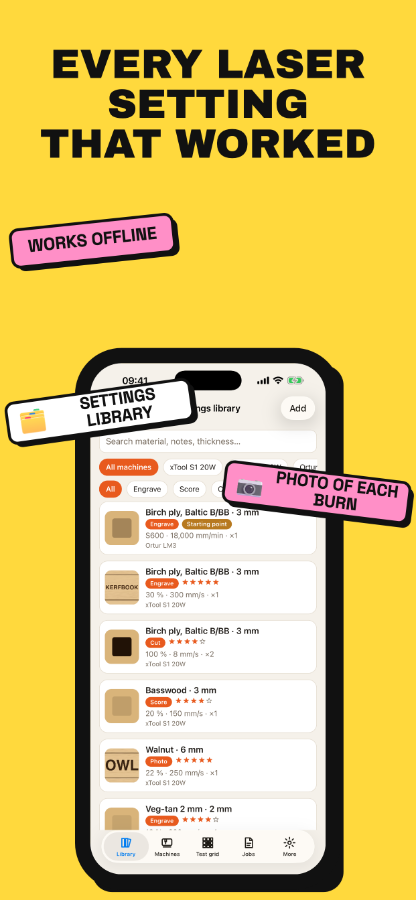
Store settings by machine, material, thickness and operation: engrave, score, cut, fill or photo. Search and filter by machine, material or operation.
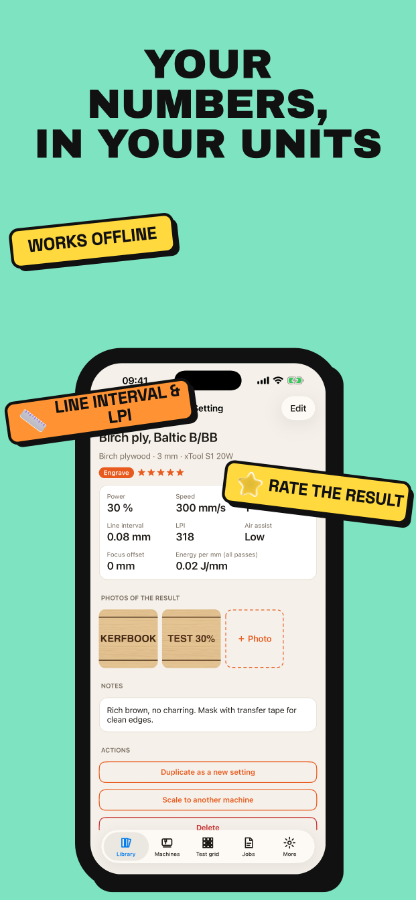
Record power, min power, speed, passes, line interval or LPI, air assist, focus offset, notes and a star rating for each setting.
Attach photos to a setting so you can see what 30 % at 300 mm/s looks like on birch ply before you burn.
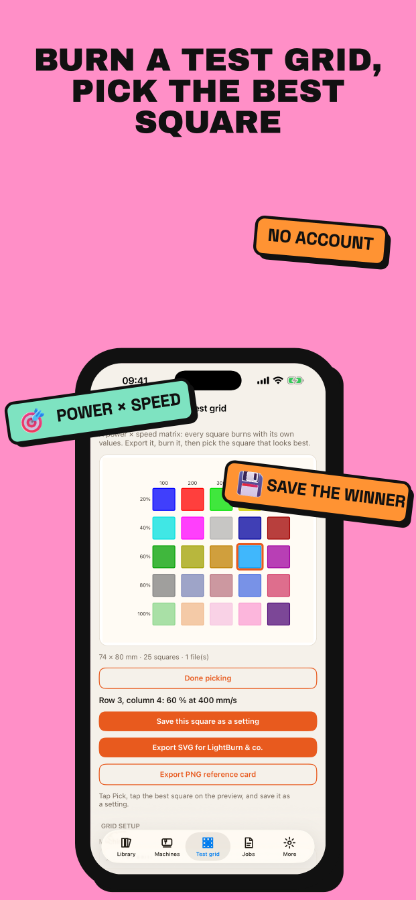
Build a power × speed matrix and export a true-size SVG in millimetres with one layer colour per square. A layer legend is included.
Show power as a percent or as an S-value (GRBL), and speed in mm/s or mm/min, to match the laser software you use.
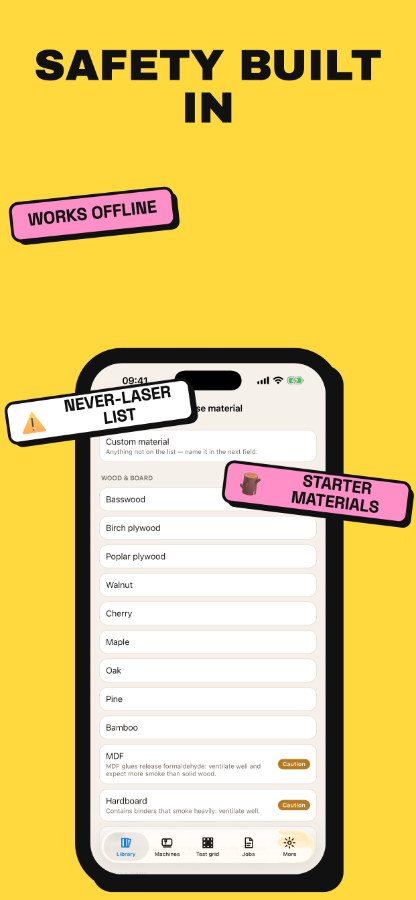
PVC, vinyl, faux leather, ABS, polycarbonate, PTFE and fibreglass are marked never laser. Kerfbook will not store settings for them, even under a custom name.
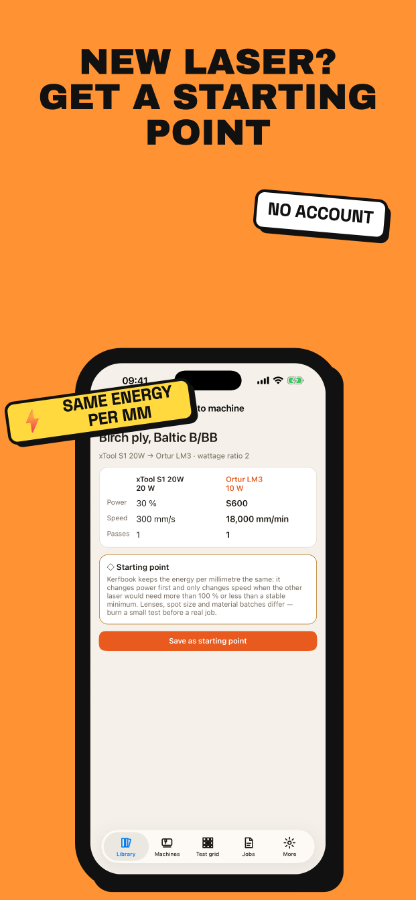
Pro scales a setting to another machine by wattage ratio, keeping the energy per millimetre the same. It respects 100 % power and the machine's maximum speed. The result is saved as a clearly marked starting point, never as a proven value.
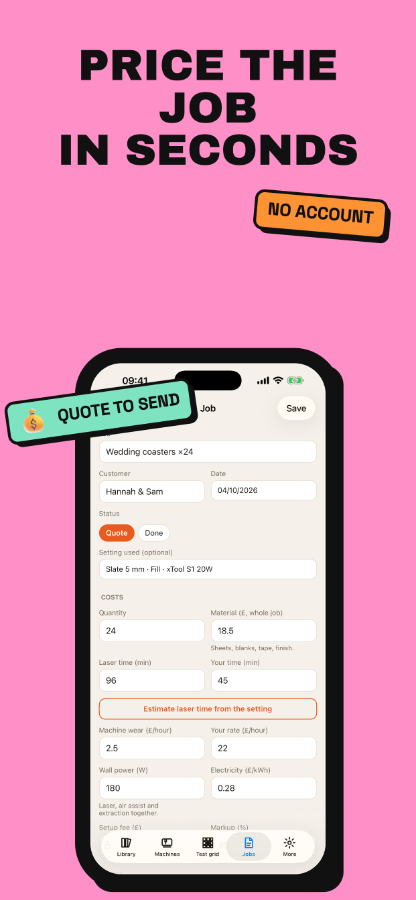
Pro adds up material, laser time, your time, machine wear, electricity, setup fee and markup into a price and a price per item. Estimate laser time from a saved speed, send the quote by message or email, and keep a job log with photos.
Free includes 1 machine, 15 settings and 5 × 5 test grids, with ads. Pro is a single one-time purchase: unlimited machines and settings, grids up to 12 × 12, CSV and JSON import and export, backup, a PDF settings sheet and no ads. All data stays on your phone.