Vector PDF extraction
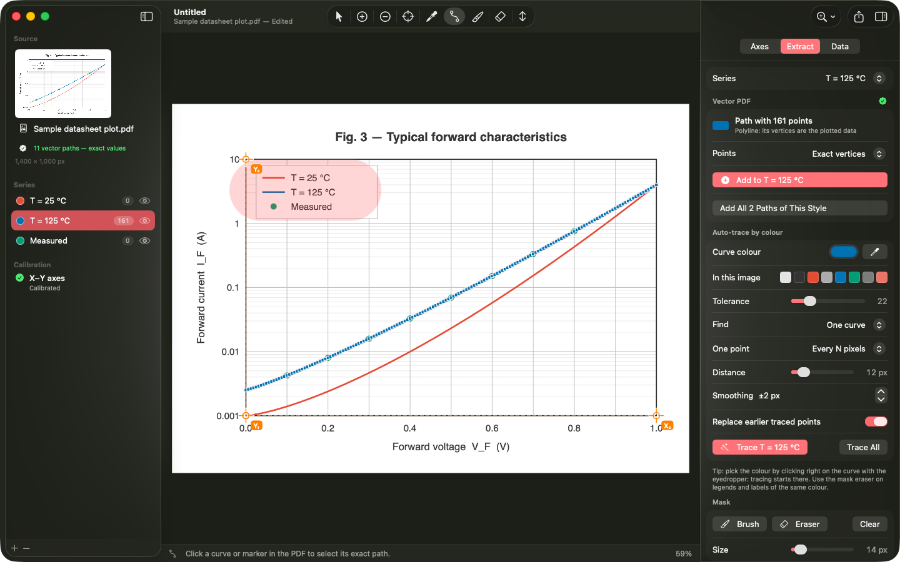
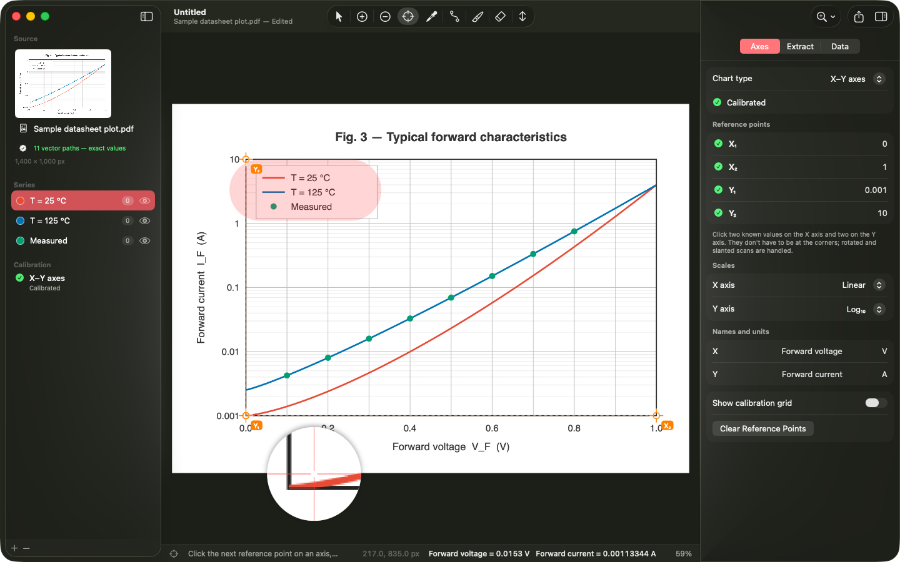
Open a datasheet or paper PDF and Curvegrab reads the actual vector paths in the file. No pixel interpolation — just the curve geometry the PDF already contains.
Curvegrab opens vector PDFs and raster images, calibrates your axes, and exports the numbers behind every curve — as CSV, Excel, or JSON.
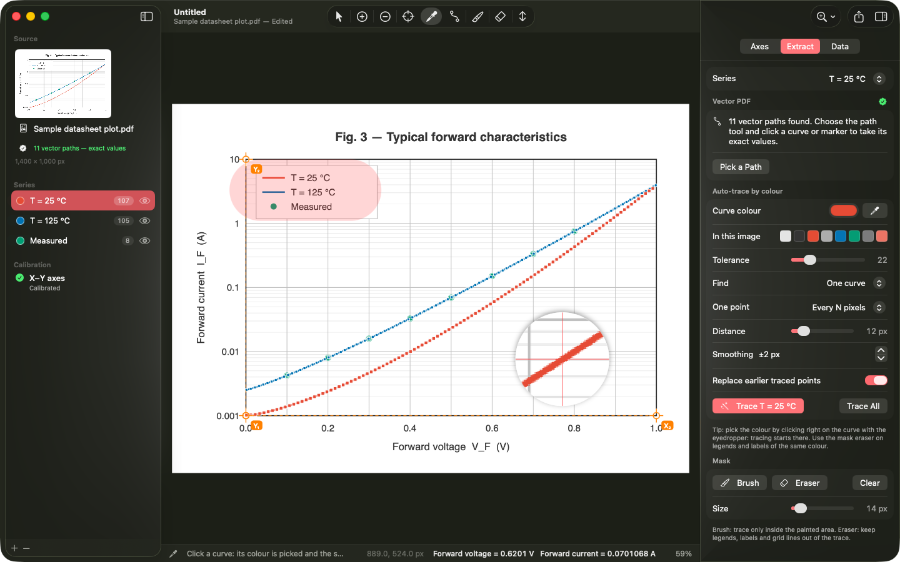
Open a datasheet or paper PDF and Curvegrab reads the actual vector paths in the file. No pixel interpolation — just the curve geometry the PDF already contains.
Calibrate linear, logarithmic, date and time, or polar axes. Place three reference points and Curvegrab converts every picked coordinate into real-world values.
Select a curve's colour on screen and Curvegrab traces the entire line in one step, producing a dense sequence of data points without manual clicking.
Click to place individual points anywhere on the chart. Zoom in for precision, then move, add, or delete samples until the dataset matches the source exactly.
Send extracted data straight to a spreadsheet, script, or analysis tool. Each dataset exports with axis labels and calibrated values, ready to use without further editing.
Curvegrab runs entirely on your Mac. No internet connection required, no sign-in, no data sent anywhere — confirmed by the App Store's Data Not Collected disclosure.
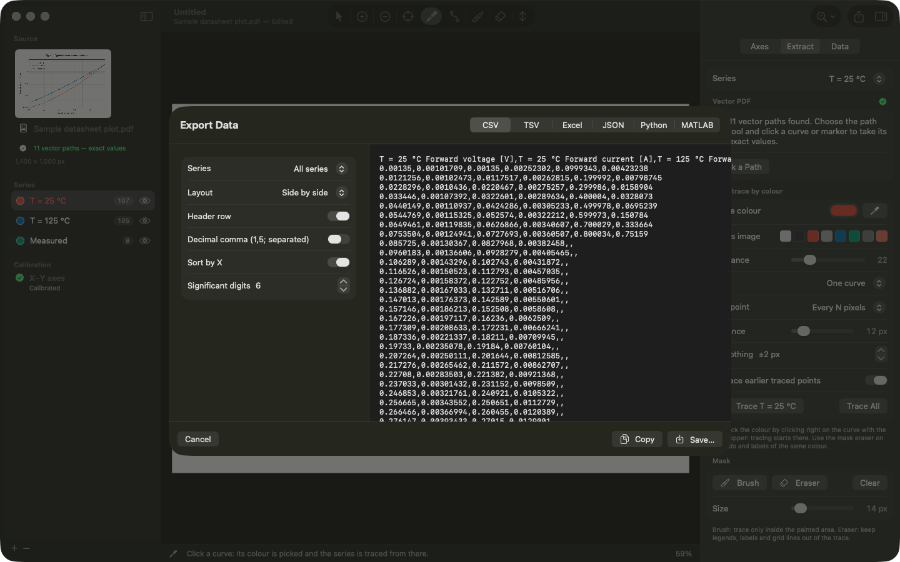
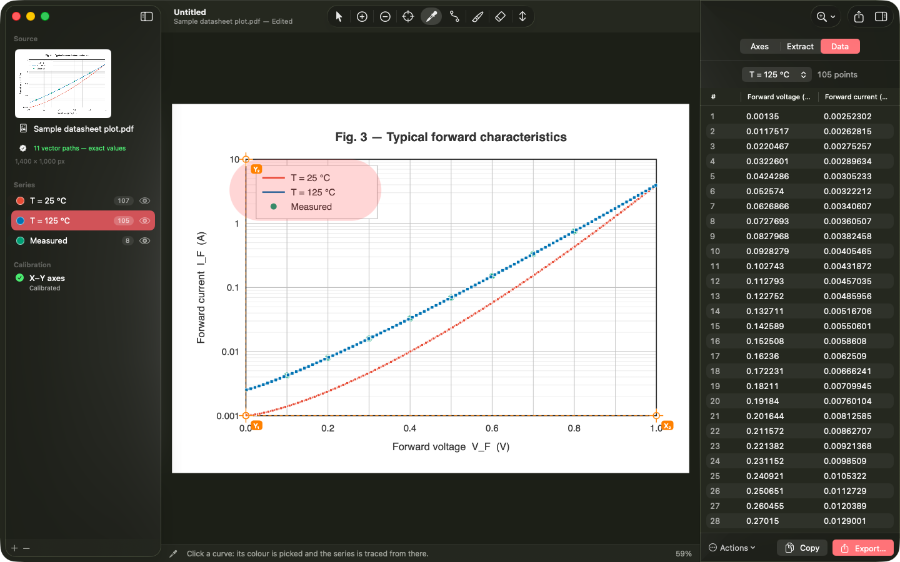
The free tier covers the core workflow. A one-time Pro unlock at $29.99 removes document limits, unlocks all export formats, and includes future feature updates. No subscription, no recurring charge.
Written in SwiftUI as a document-based macOS app. It uses system file dialogs, native keyboard shortcuts, standard scroll and zoom behaviour, and macOS window management throughout.
If you have used GraphClick, DigitizeIt, or WebPlotDigitizer, the workflow follows the same concepts. Curvegrab is built for current macOS in Swift — no Java runtime, no browser dependency.