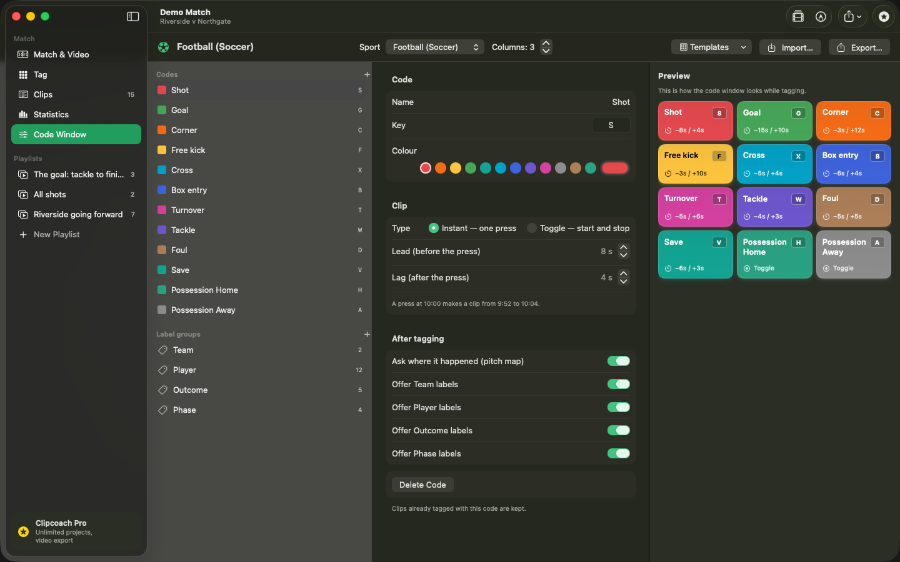
Hotkey coding window
Press a key to tag any event while the match plays. Set a lead and lag duration for each code so every clip captures the moments before and after the action.
Clipcoach is a native macOS app for coding, reviewing and reporting on match video. Assign hotkeys to events, review clips with lead and lag context, draw on frames, build playlists, and export highlights — no subscription, no cloud, no re-encoding.
Press a key to tag any event while the match plays. Set a lead and lag duration for each code so every clip captures the moments before and after the action.
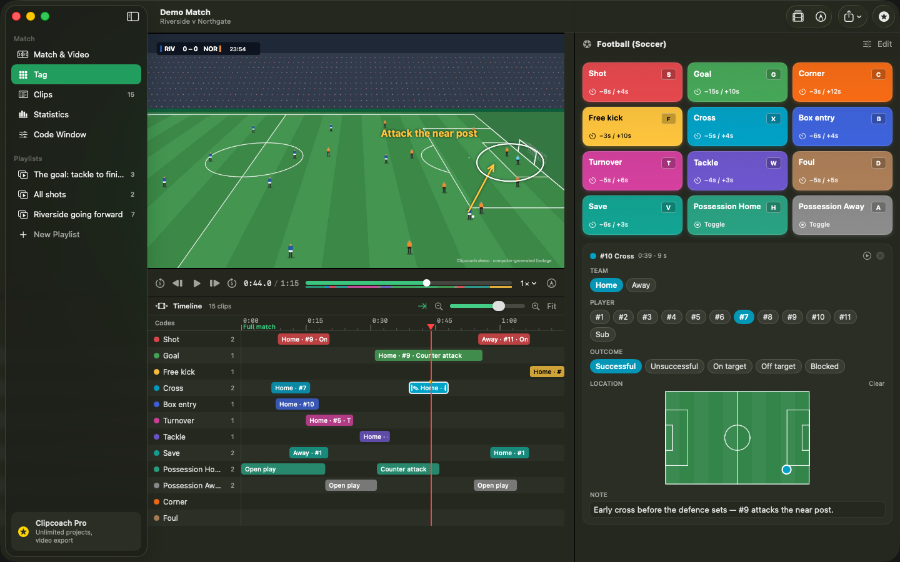
All your codes appear on a scrollable timeline. Filter by label, player or period to isolate exactly the sequences you need.
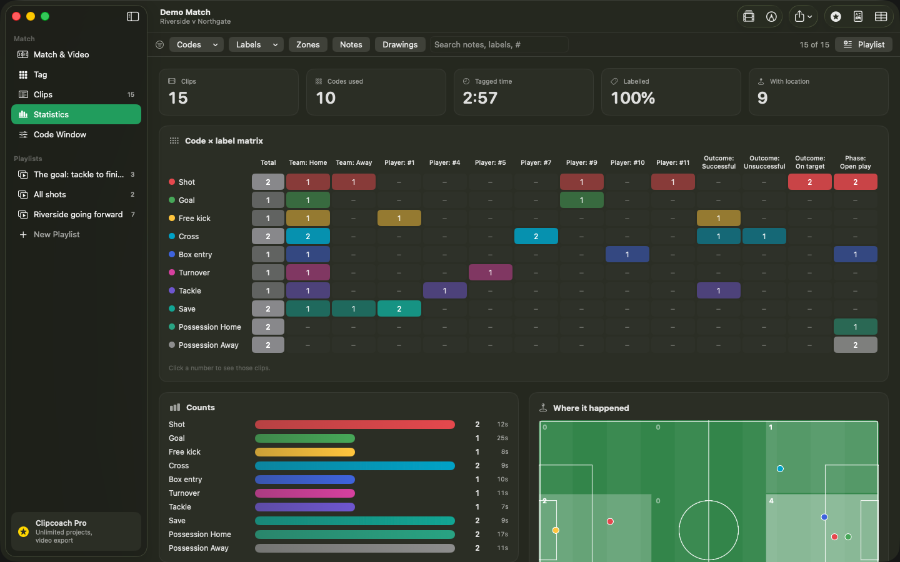
Counts and breakdowns update automatically as you tag. Export a stats matrix to CSV or Sportscode-compatible XML for further processing.
Drag coded clips into ordered sequences for training sessions or scouting reviews. Reorder and trim clips without modifying the source file.
Draw arrows, shapes and text directly on a paused frame. Annotations play back with the clip and are included when you export.
Clipcoach copies the original stream segments into a new file rather than transcoding them. Output is fast and there is no quality loss from compression.
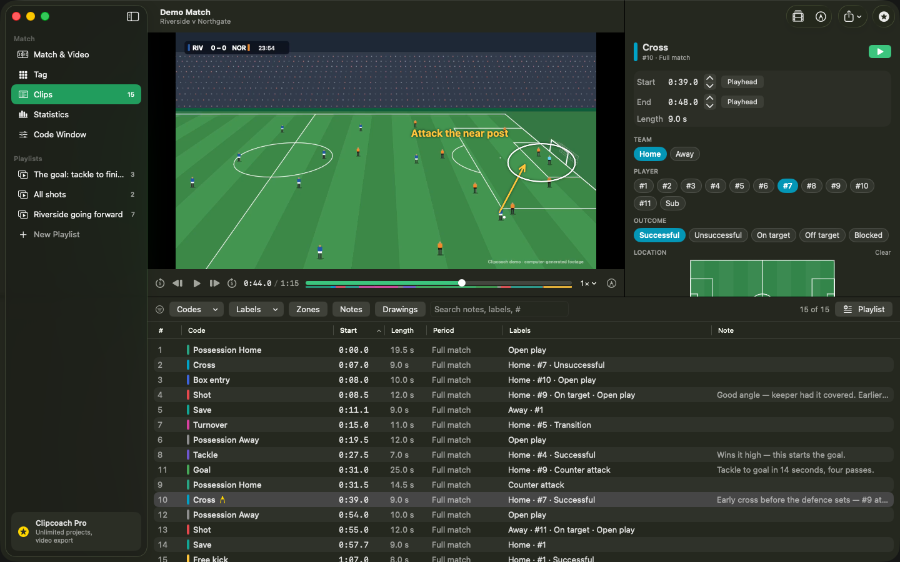
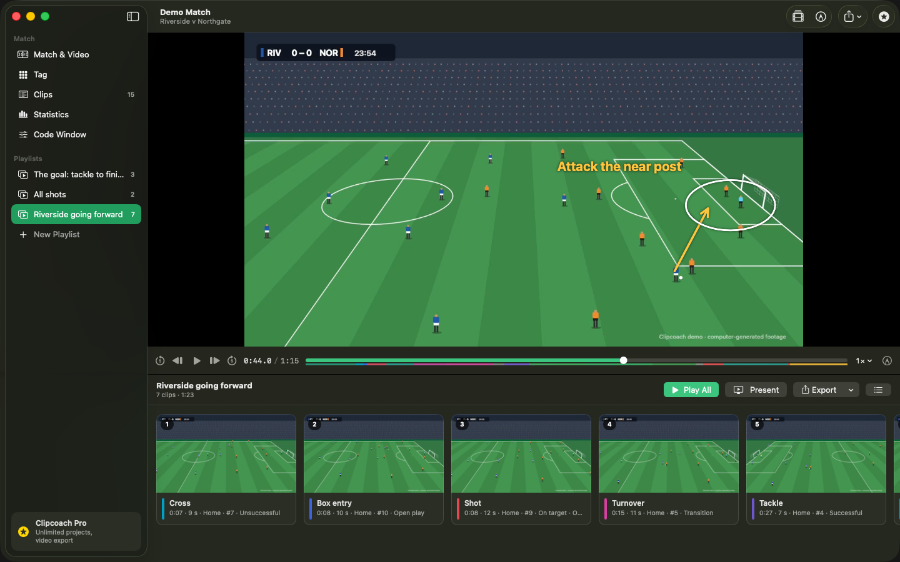
Written in SwiftUI and AVFoundation — the same frameworks Apple uses. No Electron wrapper, no background web server. Clipcoach opens, plays and exports quickly because it runs as a proper Mac document-based app.
No account required. No internet connection required. Clipcoach carries Apple's Data Not Collected privacy label. Your video never leaves your Mac.
Clipcoach is free to download and use. A single $49.99 purchase unlocks the full Pro feature set. No monthly charge, no annual renewal, no advertisements.